
How to Register for BRIDGE Classes in NC Learning Center
-
1
Navigate to the state's NC Learning Center (LMS)
Navigate to the NC Learning Center (LMS) website. You can also navigate there from the state payroll system (Fiori) using the LMS & Performance Management link.
Most users will use their NCID credentials to log in. If you're in an organization that doesn't use the NC Learning Center, you should have Learning Center log-in credentials provided. Please contact OSBM if you do not have the LMS log-in credentials.
-
2
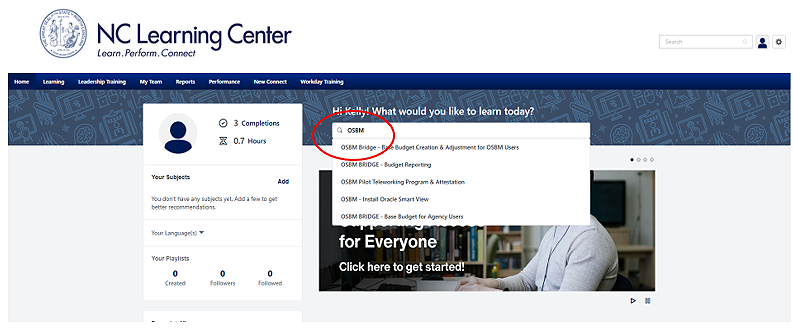
Search for BRIDGE Training
In the search bar, search for “OSBM BRIDGE.”
-
3
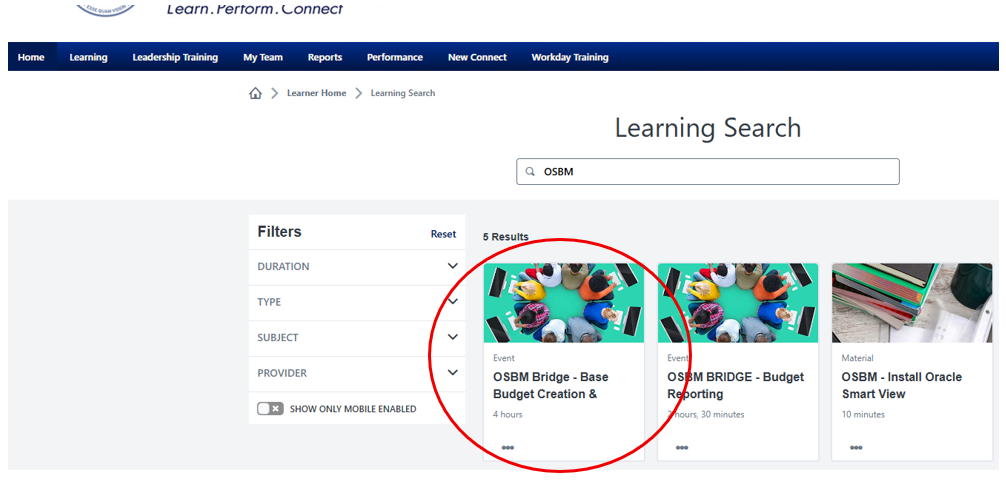
Click on Class
Click on the class you would like to register for.
-
4
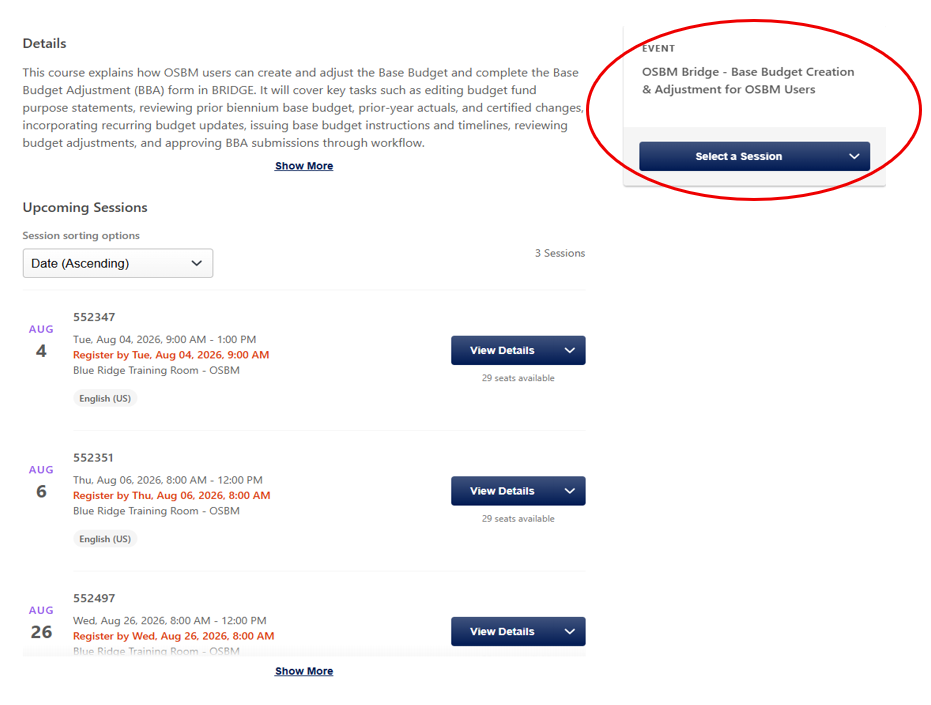
Select a class
Click on the session that works best for your schedule. Don't see a class at a day/time that work for you? Let us know.
Note that the location for the class is listed below the registration deadline for each session. (Tip: OSBM-virtual is an online class delivered via Teams meeting. Blue Ridge Training Room-OSBM is an in-person class in Raleigh)
-
5
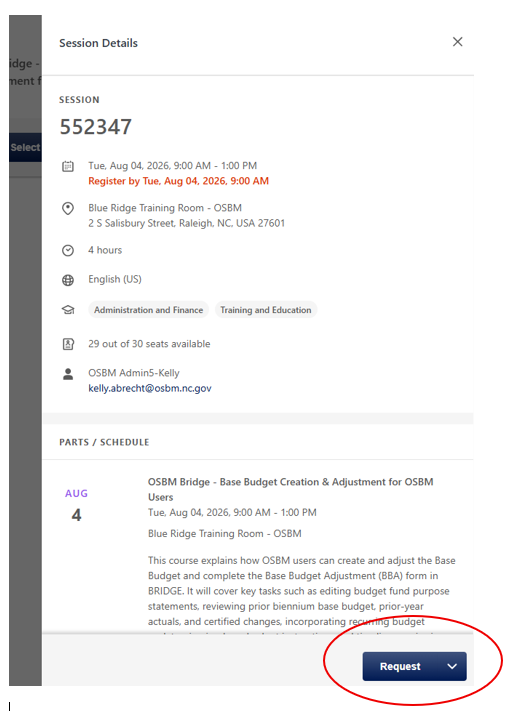
Click Request to register
A bar will appear on the left of your screen. Click “Request” to register.
-
6
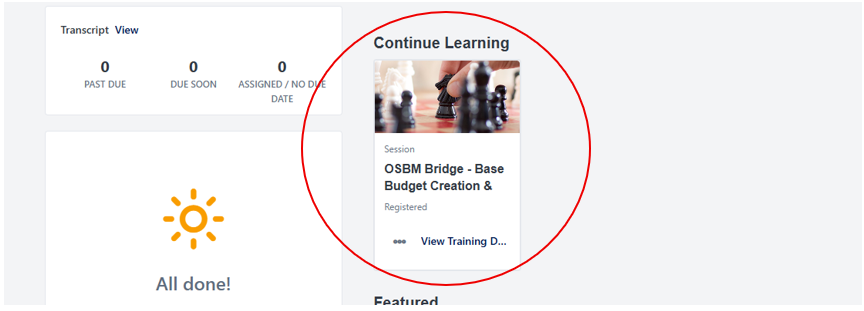
Confirm the upcoming training in your homepage
On your NC Learning Center homepage you will now see the tile for the course. This shows you have upcoming training.
You will also receive a registration email from the NC Learning Center.
-
7
Put the training session in your calendar
Please save the registration email to your Outlook calendar as a meeting so that you can block that time on your calendar.